What’s the fastest way to feel both powerful and slightly uncomfortable as a new developer? I asked GPT-5 Codex to write real working code for me before I even finished my coffee. You can imagine how that went.
A few years ago,when I first learned to code, progress looked like this: opening a blank editor, writing a few lines, hit run, getting an error I didn’t understand, searching for those strange error messages on Google. Slowly, painfully, things started to click. Today, while watching, beginners can describe an idea in plain English and use powered tools like AI to generate hundreds of lines of working code in seconds. That shift is bigger than it looks. It felt less frustrating, and things seemed easier to handle. The learning felt less brittle for new developers.
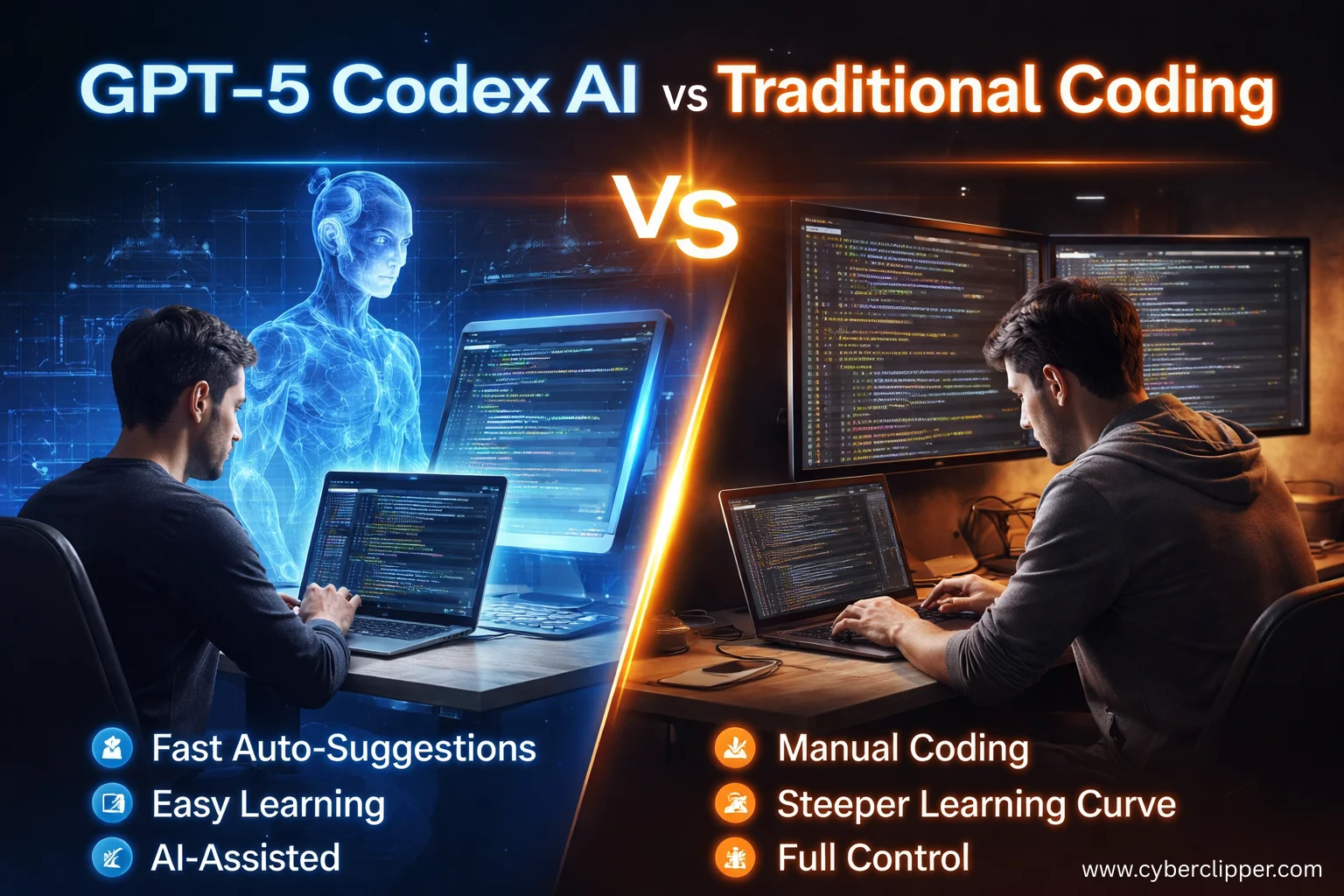
This post is not about AI replacing programmers. It’s about what actually changes when new developers learn to code with GPT-5 Codex AI alongside them, compared to traditional coding alone.
What Learning to Code Traditionally Feels Like
If you have ever learned programming from scratch, you probably remember the early phase clearly.
Your write something simple:
You hit Run and an error pops up. It says something about a missing colon. Half your time was spent debugging. The other half was spent wondering why a missing semicolon could ruin your entire evening.
For an experienced developer, that’s an easy fix. For a beginner, it’s just confusing noise. The idea was right. The loop logic made sense. The code failed only because of a small syntax mistake, not because the concept was wrong.
So the beginner searches the error on Google, scrolls through a few explanations, copies a fixed version, pastes it in, and continues, without really understanding what went wrong.
This happens a lot. Studies on learning show that beginners struggle most when they have too much to think about at once—syntax rules, logic, tools, and error messages all competing for attention.
Traditional coding works, but it demands patience before reward.
Enter GPT-5 Codex AI: A Different Starting Point
AI technologies tools like GPT-5 Codex let beginners start coding in a different way than before. Instead of starting with all the language rules and syntax, learners can begin by describing what they want to do. For example, a beginner might say something like:
“Write a code that prints numbers from 1 to 5 and explain each line.”
The GPT‑5 Codex then generates the correct code and provides a simple explanation. This way, the learner understands the idea and meaning first, before worrying about the strict rules of syntax. This approach mirrors how people can naturally learn, understanding the concept before digging into the details of language syntax. The loop still exists. The syntax still matters. But the beginner now sees structure before rules.
This matches how people naturally learn, first the concept, then the details.
Codex research explains this as making it easier to move from everyday language to real code, while still needing humans to review and think through what’s written.
The Real Shift: Shorter Feedback Loops
The biggest difference isn’t speed. It’s where thinking happens.
Traditional loop
Think → Code → Error → Search → Guess → Try again
Codex-assisted loop
Think → Ask → Try → Adjust → Learn
That faster feedback loop really matters. UX research shows that when learners don’t have to constantly switch between tools or thoughts, they understand better and remember more.
Beginners don’t suddenly stop making mistakes. They just don’t stay stuck on them for as long.
Debugging Feels Different Now
Debugging is often where beginners start to lose confidence.
Error messages are usually written for machines or experienced developers, not for people who are still learning. With GPT-5 Codex AI, beginners can paste the error and simply ask what went wrong.
The reply usually explains:
- what the error means
- why it happened
- how to fix it
- what to avoid next time
Research in human AI interaction shows that clear explanations, not just quick fixes, help people learn better and build trust. Debugging doesn’t disappear. It just becomes easier to understand and less intimidating.
The skills that quietly weaken
At the same time, some muscles don’t get exercised.
Deep debugging becomes optional — until it isn’t. When AI generates code, beginners may accept it without fully understanding why it works. When something breaks in a subtle way, they’re less prepared to trace the root cause.
Syntax fluency fades. You don’t memorize language quirks if you never need to write them manually. That’s fine — until you’re offline, or reviewing critical code, or dealing with performance edge cases.
Most importantly, failure becomes rarer. That sounds good, but failure used to be the teacher. Without it, learning can feel smoother but thinner.
Why UX Matters More Than Raw Intelligence
From a user experience point of view, GPT-5 Codex AI is not just about being smart, it’s about being easier to use.
Traditional coding environments are fragmented:
Editor → Browser → Docs → Forums → Back to editor
Codex collapses those steps into a single conversation. That matters for beginners who already feel unsure.
Good AI tools should help people reach their goals, not take over the thinking for them, especially when users are new. When used properly, Codex follows that idea by guiding learners instead of replacing them.
Traditional Coding Still Matters (A Lot)
Even with tools like GPT-5 Codex, old-school coding skills are still essential. AI doesn’t replace core knowledge, it changes when you need it.
You still need solid fundamentals for:
- Performance-critical systems (where speed and memory matter)
- Security-sensitive areas (like encryption and safe authentication)
- Deep debugging and problem solving (finding subtle bugs)
- Architectural decisions (how parts of your system should fit together)
What’s different now is when beginners hit real difficulty. Before, they’d get stuck on small syntax mistakes or loops. With GPT‑5 Codex, they skip those early problems and quickly create something real, like Users can sign in, passwords are hashed, tokens are issued, everything seems to work.
For example, a beginner can use GPT‑5 Codex to build a login system in minutes. Users can sign in, passwords are hashed, and tokens work—everything runs smoothly.
But if you ask why a specific hashing method was chosen or how to prevent security risks, they might not know. Codex makes building fast and easy, but understanding security, design, and best practices still comes from learning traditional coding.
Final Thoughts
The GPT-5 Codex AI does not replace learning to code, it changes how beginners get started with coding. Beginners do not have to struggle for weeks with syntax errors and trying out tools. The GPT-5 Codex AI helps beginners with coding. With the GPT-5 Codex AI learners can focus on their ideas. Build real projects first when they start learning to code with the GPT-5 Codex AI.
When you are coding you still need to understand what you are doing, be able to solve problems and take responsibility for your work. Codex is a tool for beginners because it lets them see results faster. However to really master coding you need to practice and understand why your code works, how to keep your systems safe and how to find and fix errors in your code. Coding requires a lot of practice to get good at it. That is how you learn to secure your systems and debug your code effectively.
The main thing that sets people apart is that beginners who start working on things away will feel better about themselves faster. They have to deal with problems sooner. This can be the difference between quitting and becoming a developer like a capable developer. The key difference is that beginners start building and face real challenges earlier which can make the difference between giving up and becoming a capable developer.
GPT-5 Codex AI is really good at figuring out how you learn things. It does not decide what you should be learning. It changes the way you learn those things. GPT-5 Codex AI is about changing how you learn.
In short, GPT‑5 Codex AI changes when you learn, not what you need to learn.
FAQ: Learning to Code with GPT‑5 Codex AI
- Is GPT‑5 Codex AI good for people who are new to it?
Yes. This thing really helps people who are just starting out with coding. They can see how the coding works. Look at examples that actually work. They also get to know if they are doing it right or not. This makes learning to code faster. It is not so annoying. People who are learning to code can understand the concepts of coding. - Can people who are just starting out trust code that AI systems create?
Partially. This artificial intelligence code can be helpful. It is not always correct or secure. Beginners should review the intelligence code, test the artificial intelligence code and modify the artificial intelligence code to learn how to use the artificial intelligence code effectively. - Will GPT‑5 Codex replace traditional coding skills?
The core skills such as debugging and secure coding and system design are still really important. The thing is Codex just changes the way people who are new to coding learn these core skills, like debugging and secure coding and system design. - So what does GPT‑5 Codex do to help people who are just starting out learn things quickly?
People who are just starting out can say what they want in words and get code that works right away. This means they do not get as frustrated and they can focus on the things like logic and solving problems. Beginners get to work on the logic and solving the problems, with the code that they get. - Can beginners build real projects using GPT‑5 Codex AI?
Yes. They can create apps like login systems or web APIs quickly, but a deeper understanding of security, performance, and architecture still requires hands-on learning.